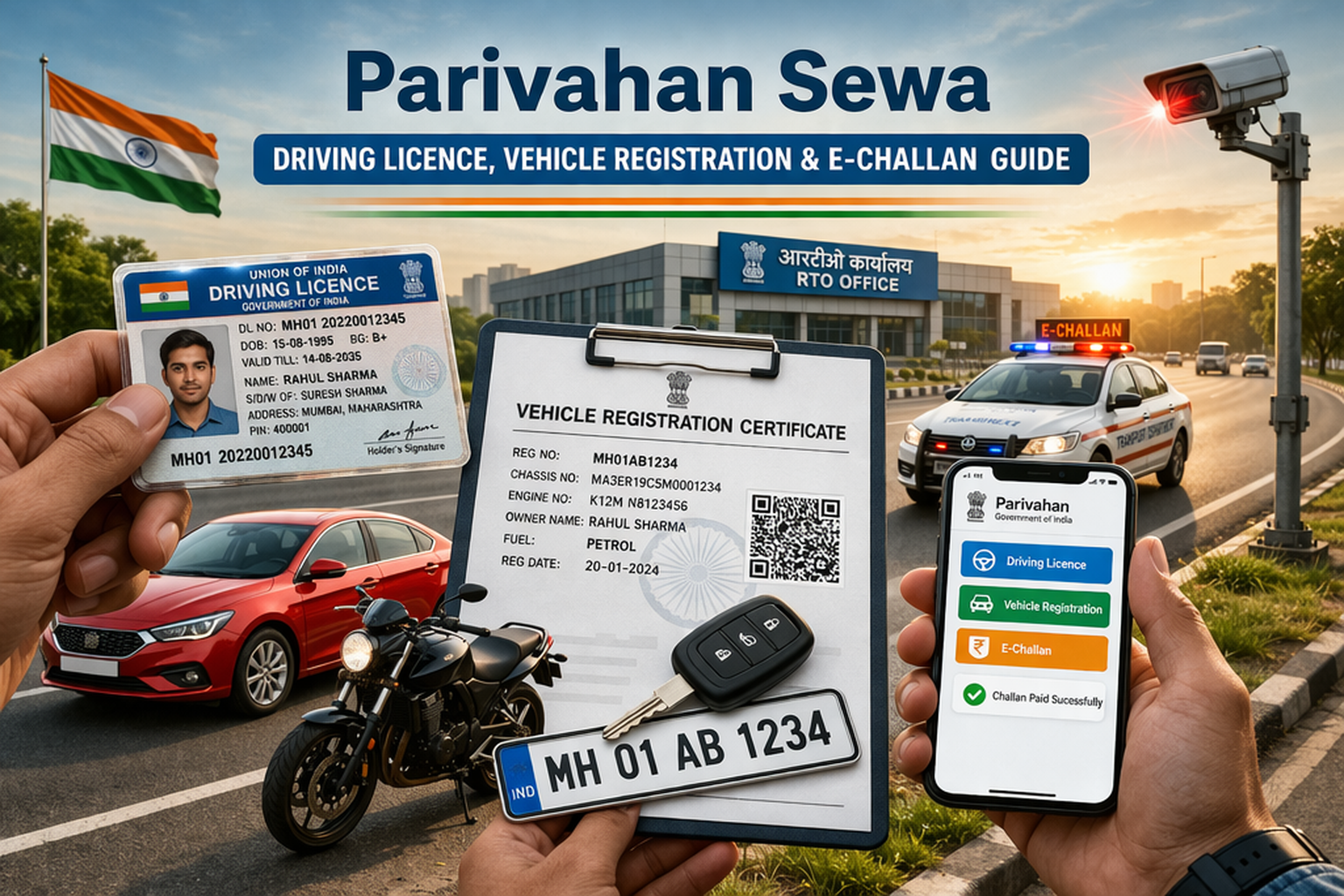
Parivahan Sewa is the official online transport portal of the Government of India, and this guide covers every service on it — checking DL application status on Sarathi Parivahan, verifying RC status and vehicle owner details on the Vahan portal, paying e-challan traffic fines, and carrying a digital driving licence in the mParivahan app. Launched by the Ministry of Road Transport and Highways (MoRTH) at parivahan.gov.in, the portal lets every citizen apply for a driving licence, register a vehicle, pay road tax, book a fancy number and verify a PUC certificate — completely online, without standing in an RTO queue.
Parivahan Sewa (e-Parivahan) is a centralized, digital platform that connects all Regional Transport Offices (RTOs) across India. It runs on two core systems — VAHAN (vehicle registration) and SARATHI (driving licence) — and also powers the mParivahan mobile app, e-challan system, and national permit services.
⏱ Last Updated: July 2026 — all fees, forms and step-by-step procedures in this guide have been reviewed against the official government portal.
📌 Parivahan Sewa 2026 — Key Details at a Glance
| Particular | Details |
|---|---|
| Portal Name | Parivahan Sewa (e-Parivahan) |
| Run By | Ministry of Road Transport & Highways (MoRTH), through NIC |
| Driving Licence Portal | sarathi.parivahan.gov.in (Sarathi) |
| Vehicle / RC Portal | vahan.parivahan.gov.in (Vahan) |
| Traffic Fine Portal | echallan.parivahan.gov.in (e-Challan) |
| Mobile App | mParivahan (Android & iOS) + DigiLocker for digital DL/RC |
| Helplines | 0120-4925505 (Vahan/Sarathi) · 0120-2459169 (mParivahan/e-challan) |
| Key Services | DL application & status, RC check, owner details, e-challan, road tax, permits, NOC, PUC |
| Cost of Status Checks | Free — fees apply only to actual applications |
📋 Table of Contents
- Services Available on Parivahan Sewa Portal
- Parivahan Login & Registration
- How to Apply for Driving Licence Online
- Driving Licence Eligibility Criteria
- Learner Licence Online Test
- DL Application Status Check (Sarathi)
- Vehicle Registration & RC Status Check
- Vehicle Owner Details by Number (Vahan)
- E-Challan: Check & Pay Traffic Fines
- PUC Certificate Verification
- Fees & Charges 2026
- How to Renew Driving Licence Online
- Duplicate Driving Licence (Form LLD)
- International Driving Permit (IDP)
- Driving Licence & Vehicle Forms List
- Fancy Number Booking
- mParivahan App
- Digital DL via DigiLocker
- VAHAN & SARATHI Explained
- Road Tax Payment Online
- NOC & Vehicle Ownership Transfer
- HSRP Number Plate & Fitness Certificate
- Types of Permits
- State RTO Codes
- State-wise Transport Department Websites
- Common Portal Problems & Fixes
- Contact & Helpdesk
- Frequently Asked Questions
🚗 Services Available on the Parivahan Sewa Portal
The Parivahan Sewa portal offers a comprehensive range of transport services divided into two categories — Vehicle-Related Services (VAHAN) and Driving Licence Services (SARATHI).
| 🚘 Vehicle-Related Services (VAHAN) | 🪪 Driving Licence Services (SARATHI) |
|---|---|
| Vehicle Registration | Learner’s Licence Application |
| Vehicle Fitness Certificate | Permanent Driving Licence Application |
| Vehicle Ownership Transfer | Duplicate Licence Issuance |
| Hypothecation Addition / Removal | International Driving Permit (IDP) |
| NOC for Vehicle Transfer | Driving Licence Renewal |
| Temporary Registration | DL Status Check |
| Road Tax (Vehicle Tax) Payment | DL Renewal Fee Payment |
| Fancy / Choice Number Booking | DL Test Slot Booking |
| Online RC Verification | Address Change in Driving Licence |
| Vehicle Insurance Renewal | DL Medical Certificate Upload |
| PUC / Emission Certificate Check | DL Biometric Data Capture |
| E-Challan Payment | DL Improvement Test Booking |
| Vehicle Scrapping | DL Issue Tracking |
| Duplicate RC Issuance | DL Slot Booking for Re-test |
| Dealer Authorization Certificate | DL Appointment Booking |
Why Use the Online Portal Instead of Visiting the RTO?
- Zero queues: Applications, payments and status checks happen from home, 24/7 — RTO visits are needed only for driving tests and biometric verification where mandated.
- One national database: Your DL and RC are recognised across every state, so services remain available even after you relocate.
- Transparent fees: The exact government fee is displayed and paid online — no agents, no middlemen, no extra charges.
- Digital documents: Approved licences and certificates flow automatically into DigiLocker and mParivahan as legally valid originals.
- Complete trail: Every application generates a number, receipt and stage-wise status you can track until dispatch.
📝 Parivahan Login & Registration — Create Your Account
Creating your account on the Parivahan Sewa website takes less than 5 minutes. Follow these steps:
- Visit the official Parivahan Sewa website at parivahan.gov.in.
- Click on the “Sign Up” or “Register” option on the homepage.
- Fill in your personal details — name, mobile number, email address, and date of birth.
- Choose a strong password and confirm it.
- Verify your mobile number using the OTP sent to your registered phone number.
- Your Parivahan Sewa account is ready. Log in to access all available transport services online.
🪪 How to Apply for Driving Licence Online — Parivahan Sewa
The Sarathi Parivahan portal (sarathi.parivahan.gov.in) enables you to apply for a Learner’s Licence (LL) or Permanent Driving Licence (DL) online, without standing in RTO queues.
Step-by-Step: Learner’s Licence (LL) Application
- Log in to your account at parivahan.gov.in and go to “Driving Licence Related Services.”
- Select your state from the dropdown to reach your state RTO portal.
- Click on “Apply for Learner’s Licence.”
- Fill in your personal details, educational qualification, and vehicle category (Two-Wheeler / Four-Wheeler / HMV etc.).
- Upload required documents — proof of address, proof of age, and a passport-size photo.
- Book a slot for the online LL test at your nearest RTO and pay the fee online.
- Appear for the computer-based test. On passing, your Learner’s Licence is issued digitally and can be downloaded from the portal.
Step-by-Step: Permanent Driving Licence (DL) Application
- After holding a valid Learner’s Licence for at least 30 days, log in to parivahan.gov.in.
- Select “Apply for Driving Licence” under Driving Licence Related Services.
- Fill in the application form and upload required documents.
- Pay the applicable fee online.
- Book a driving skill test slot at your nearest RTO.
- Appear for the driving test. On success, the DL is dispatched to your registered address by post.
📄 Documents Required for Driving Licence
- Proof of Address: Aadhaar Card, Passport, Voter ID, or recent utility bill
- Proof of Age: Birth Certificate, School Leaving Certificate, or PAN Card
- Passport-size Photographs: Recent, white/light background
- Form 1A (Medical Certificate): Required for transport/commercial vehicle licence
- Existing Learner’s Licence: Mandatory for Permanent DL application
🎯 Driving Licence Eligibility Criteria — Age & Vehicle Class
Before applying on Sarathi, confirm that you meet the minimum age and other conditions for the licence class you need. The Motor Vehicles Act, 1988 lays down the following eligibility rules:
| Licence Class | Vehicles Covered | Minimum Age | Key Condition |
|---|---|---|---|
| MCWOG | Motorcycle without gear (up to 50 cc) | 16 years | Written consent of parent / guardian required |
| MCWG | Motorcycle with gear (any capacity) | 18 years | Must pass LL test on traffic rules |
| LMV | Car, jeep, van (non-transport) | 18 years | Learner licence held for at least 30 days |
| LMV-TR / Transport | Taxi, commercial light vehicles | 20 years (18 in some states) | Form 1A medical certificate mandatory |
| HMV / HGMV / HPMV | Truck, bus, heavy goods & passenger vehicles | 20 years | LMV licence for 1+ year and training at a government-recognised driving school |
| E-Rickshaw / E-Cart | Battery-operated rickshaw / cart | 18 years | State-specific endorsement |
- The applicant must be mentally and physically fit and submit a Form 1 self-declaration of fitness.
- A Form 1A medical certificate signed by a registered medical practitioner is compulsory for all transport licences and for applicants above 40 years of age.
- You must be conversant with traffic rules and clear the learner licence test before booking the driving skill test.
- The permanent DL test can be taken only after holding the learner licence for 30 days (and within 180 days of LL issue).
🖥️ Learner Licence Online Test — Format, Pass Marks & Home Test Option
The learner licence (LLR) test is a short computer-based objective test that checks your knowledge of traffic signs, road rules and penalties. Here is exactly what to expect:
| Feature | Details |
|---|---|
| Test Mode | Computer-based at the RTO, or online from home in states offering faceless services |
| Number of Questions | 10–20 multiple-choice questions (most states use 15) |
| Time Allowed | Approximately 10 minutes |
| Pass Marks | Around 60% — for example, 9 correct answers out of 15 in many states |
| Syllabus | Traffic signs and signals, right-of-way rules, speed limits, penalties, first aid basics |
| If You Fail | Re-test can be booked for a nominal ₹50 fee, usually after 24 hours or the next available slot |
Taking the LL test from home: several states — including Delhi, Maharashtra, Karnataka and Bihar — now allow an Aadhaar-authenticated online LL test from home. Apply on sarathi.parivahan.gov.in using Aadhaar eKYC, complete the mandatory road-safety tutorial video, and take the webcam-monitored test on your own computer. If you pass, the e-learner licence is issued digitally without a single RTO visit.
🔍 Parivahan Sewa DL Application Status Check — Sarathi Parivahan
Already applied for a learner licence or driving licence? You can track your DL application status in under a minute on the Sarathi Parivahan portal:
- Open sarathi.parivahan.gov.in and select your state from the dropdown.
- On the state Sarathi home page, click “Application Status” in the top menu.
- Enter your application number, date of birth and the captcha code.
- Click “Submit” — the current stage of your application is displayed instantly.
Typical stages you will see: Application Submitted → Fee Paid → LL Test Scheduled / Passed → Driving Test Scheduled → DL Approved → DL Dispatched. Once dispatched, the portal also shows the Speed Post consignment number so you can track physical delivery of the licence card on the India Post website.
📄 Vehicle Registration & RC Status Check — Parivahan Sewa
The VAHAN portal (vahan.parivahan.gov.in), integrated into the Parivahan Sewa ecosystem, handles all vehicle registration services across India.
How to Check RC Status Online
- Go to parivahan.gov.in and click on “Know Your Vehicle Details” under Online Services.
- Enter your vehicle registration number and the captcha code.
- Click “Proceed” to view your complete RC details.
- Check owner name, registration date, insurance validity, vehicle class, fuel type, and more.
How to Check DL (Driving Licence) Status
- Visit parivahan.gov.in → “Driving Licence Related Services” → select your state.
- Enter your DL number and date of birth.
- Enter the captcha and click “Submit.”
- View your DL issuance date, expiry date, vehicle categories, and application status instantly.
🚙 Vehicle Owner Details Check by Registration Number — Vahan Portal
Buying a used vehicle, verifying a taxi, or reporting a hit-and-run? You can check RC status and vehicle owner details using any of these three official methods:
Method 1: Vahan Portal (vahan.parivahan.gov.in)
- Go to vahan.parivahan.gov.in and click “Know Your Vehicle Details.”
- Log in with your mobile number and OTP (create a free citizen account if you do not have one).
- Enter the vehicle registration number and the captcha code, then click “Vahan Search.”
- View the owner name (partially masked for privacy), registration date, RC status, fitness validity, insurance expiry, PUC validity, fuel type and vehicle class.
Method 2: SMS — Check Vehicle Details Without Internet
Type VAHAN <vehicle registration number> (for example, VAHAN MH12AB1234) and send it as an SMS to 7738299899. Within seconds you receive the owner name (masked), RC and fitness expiry, and insurance validity. Standard SMS charges apply.
Method 3: mParivahan App
Open the mParivahan app, tap the RC dashboard, enter the registration number and search. This is the fastest option if you check vehicles frequently, such as before a used-car purchase.
🚦 E-Challan: Check & Pay Traffic Fines on Parivahan Sewa
The Parivahan e-challan system allows you to check pending traffic fines and pay them securely online — no need to visit a traffic police station.
How to Check E-Challan Status
- Visit echallan.parivahan.gov.in — the official e-challan system of the portal.
- Click on “Get Challan Details.”
- Enter your vehicle registration number or challan number.
- Click “Get Detail” to view violation details, fine amount, and challan date.
How to Pay E-Challan Online
- Follow the steps above to retrieve your challan details.
- Select your payment method: Debit Card, Credit Card, Net Banking, or UPI.
- Complete the payment securely.
- Download and save your payment confirmation receipt.
🌿 PUC Certificate Verification — Parivahan Sewa
A valid Pollution Under Control (PUC) certificate is mandatory for all vehicles on Indian roads. The Parivahan Sewa portal lets you verify your PUC certificate’s validity in seconds.
- Go to parivahan.gov.in and navigate to “PUC Certificate” under Online Services.
- Enter your vehicle registration number.
- Your PUC certificate validity status will be displayed instantly.
| Vehicle Type | PUC Certificate Fee |
|---|---|
| Two-Wheeler | Rs. 50 |
| Four-Wheeler (Private) | Rs. 100 |
| Commercial Vehicle | Rs. 200 |
💰 Parivahan Sewa Fees & Charges 2026
Below is the complete fee structure for key Parivahan Sewa services. These are standard central government fees — additional state-level charges may apply depending on your state RTO.
Vehicle Registration Fees
| Vehicle Category | Registration Fee |
|---|---|
| Two-Wheeler | Rs. 300 |
| Four-Wheeler (Private) | Rs. 600 |
| Commercial Vehicle (Light) | Rs. 1,000 |
| Commercial Vehicle (Medium) | Rs. 1,000 |
| Commercial Vehicle (Heavy) | Rs. 1,500 |
| Invalid Carriage | Rs. 50 |
| Imported Motor Vehicle | Rs. 5,000 |
| Imported Motorcycle | Rs. 2,500 |
| Duplicate RC | Half of original fee |
Driving Licence Fees 2026 (Central Motor Vehicles Rules)
| Driving Licence Service | Fee (₹) |
|---|---|
| Learner Licence issue (Form 3) — per vehicle class | ₹150 |
| Learner Licence test / repeat test | ₹50 |
| Driving skill test — per vehicle class | ₹300 |
| Driving Licence issuance | ₹200 |
| Smart card driving licence | ₹200 |
| Addition of another vehicle class to DL | ₹500 |
| International Driving Permit (IDP) | ₹1,000 |
| DL renewal (within grace period) | ₹200 |
| DL renewal after grace period | ₹300 + ₹1,000 per year of delay |
| Duplicate driving licence (Form LLD) | ₹200 |
| Change of address / particulars in DL | ₹200 |
| Driving school licence issue or renewal | ₹10,000 |
Permit & Other Fees
| Service | Fee |
|---|---|
| Temporary Permit | Rs. 200 |
| State Permit | Rs. 300 |
| National Permit | Rs. 500 |
| Address Update – Driving Licence | Rs. 200 |
| Address Update – RC | Rs. 300 |
| Vehicle Scrapping – Two-Wheeler | Rs. 500 |
| Vehicle Scrapping – Four-Wheeler | Rs. 1,000 |
| Vehicle Scrapping – Commercial | Rs. 2,000 |
| Grant / Renewal of Fitness Certificate | Rs. 200 |
📌 Fees are indicative as per central MoRTH guidelines. Visit parivahan.gov.in for the latest and state-specific fee details.
🔄 How to Renew Driving Licence Online — Form 9
A private driving licence is valid for 20 years or until age 40 (whichever comes first, then renewed in 10-year and 5-year blocks), while a transport licence is valid for 5 years. Renewing online takes about 15 minutes:
- Visit sarathi.parivahan.gov.in and select your state.
- Click “Apply for DL Renewal” under Driving Licence services.
- Enter your DL number and date of birth — your details auto-populate from the Sarathi database.
- The system generates Form 9 (application for renewal). Confirm the pre-filled details.
- Upload documents: Form 1 self-declaration, a passport-size photo and signature, plus a Form 1A medical certificate if you hold a transport licence or are above 40.
- Pay the ₹200 renewal fee online and download the receipt.
- Depending on your state, either the renewed DL is dispatched directly or a brief RTO visit is scheduled for verification.
🪪 Duplicate Driving Licence Online — Form LLD
If your driving licence is lost, stolen, damaged or defaced, you can get a duplicate issued online without applying for a fresh licence:
- For a lost or stolen licence, first file an FIR or police complaint and keep a copy — many RTOs require it.
- Go to sarathi.parivahan.gov.in, select your state and click “Services on Driving Licence.”
- Enter your DL number and date of birth, then select “Issue of Duplicate DL” from the service list.
- The portal fills Form LLD (application for duplicate licence) automatically — verify the details.
- Upload the FIR copy (if lost/stolen), photo and signature, and pay the ₹200 fee online.
- The duplicate DL carries the same licence number and validity as the original and is dispatched to your registered address.
🌍 International Driving Permit (IDP) — Apply Online
Planning to drive abroad? An International Driving Permit is a translation of your Indian DL recognised in more than 100 countries that are signatories to the 1949 Geneva Convention. It is valid for 1 year (or until your DL expires, whichever is earlier) and can only be issued while you hold a valid Indian driving licence.
- Open the Sarathi portal, select your state and click “Apply for International Driving Permit.”
- Enter your DL number and date of birth — your licence details load automatically.
- Fill in travel details and upload your valid passport, visa (where applicable), air ticket and a Form 1A medical certificate.
- Pay the ₹1,000 fee online and book an RTO appointment if your state requires physical verification.
- The IDP booklet is issued by the RTO, usually within 3–7 working days.
📑 Driving Licence & Vehicle Forms — Complete List
Every RTO service is tied to a specific numbered form under the Central Motor Vehicles Rules. All of these can be filled online or downloaded from the “Downloadable Forms” section of the official portal:
| Form Number | Purpose | Used For |
|---|---|---|
| Form 1 | Application-cum-declaration of physical fitness | Learner licence / DL applications |
| Form 1A | Medical certificate from a registered doctor | Transport DL, applicants above 40 |
| Form 2 | Common application form for licensing services | LL, DL, renewal, duplicate — all DL services |
| Form 3 | Learner’s licence (the document itself) | Issued after passing the LL test |
| Form 4 | Application for permanent driving licence | DL after 30 days of holding LL |
| Form 8 | Application to add a vehicle class | Adding MCWG, LMV, transport class to existing DL |
| Form 9 | Application for DL renewal | Renewing an expiring driving licence |
| Form LLD | Application for duplicate driving licence | Lost, stolen or damaged DL |
| Form 20 | Application for vehicle registration | New vehicle registration (RC) |
| Form 25 | Renewal of certificate of registration | RC renewal after 15 years |
| Form 26 | Application for duplicate RC | Lost or damaged registration certificate |
| Form 28 | No Objection Certificate (NOC) | Moving a vehicle to another state / RTO |
| Form 29 | Notice of transfer of ownership | Seller’s intimation when a vehicle is sold |
| Form 30 | Application for transfer of ownership | Buyer’s application to transfer the RC |
🔢 Fancy Number Booking on Parivahan Sewa
Want a VIP or memorable vehicle registration number? The Parivahan Sewa portal lets you book a fancy (choice) registration number online through a two-stage process: form submission + e-auction.
Stage 1: Registration Form
- Visit vahan.parivahan.gov.in/fancy/ and sign up as a new user.
- Under “Number Selection Menu,” choose your vehicle category (LMV / Two-Wheeler).
- Browse available numbers and select your preferred one. Click “Continue.”
- Click “Submit to Register,” fill the captcha, and complete the online payment.
- Download and save your receipt with the unique acknowledgement number.
Stage 2: E-Auction
- Log in to the eParivahan website using your credentials.
- Select “Bidding Process Menu” and choose your acknowledgement number.
- Place a bid by clicking the “Up” button on your desired number.
- After the auction ends, view results under “Show Auction Results.”
- Complete any balance payment, print the allotment letter, and visit your RTO.
📱 mParivahan App — Parivahan Sewa on Your Smartphone
The mParivahan app is the official mobile application of the Parivahan Sewa portal, developed by NIC (National Informatics Centre) for MoRTH. It is available on both Android (Play Store) and iOS (App Store).
Key Features of mParivahan
- Digital Driving Licence: Carry your DL digitally — accepted by traffic police as a valid document
- Digital RC (Registration Certificate): Access your vehicle RC on your phone anytime
- E-Challan Check & Pay: View and pay traffic fines directly from the app
- Vehicle Information Lookup: Search any vehicle’s registration details by number plate
- Voluntary Disclosure: Report your vehicle as stolen or sold to prevent misuse
- Renewal Alerts: Get reminders for insurance, PUC, fitness certificate, and road tax renewals
How to Register on the mParivahan App
- Download mParivahan from Google Play Store (search: mParivahan NIC eGov) or Apple App Store.
- Open the app and enter your mobile number.
- Enter the OTP received on your phone.
- Click “Verify” — registration complete. Access all mParivahan services instantly.
📲 Download mParivahan Today
Carry your Digital DL & RC on your phone. Check e-challan & get renewal alerts — all for free!
▶ Google Play Store 🌐 Visit parivahan.gov.in📲 Digital Driving Licence via DigiLocker & mParivahan
You no longer need to carry the physical DL or RC card. A digital driving licence stored in DigiLocker or the mParivahan app is legally valid under the Information Technology Act, 2000, and a MoRTH advisory directs traffic police in all states to accept it at par with the original document.
How to Add Your DL to DigiLocker
- Install DigiLocker (digilocker.gov.in) and sign up with your Aadhaar number and mobile OTP.
- Tap “Search Documents” and select Ministry of Road Transport and Highways.
- Choose “Driving Licence,” enter your DL number and confirm.
- DigiLocker fetches the record directly from the Sarathi database and saves it under “Issued Documents” — this is the legally valid original, not a scan.
How to Add a Virtual DL / RC in mParivahan
- Open the mParivahan app and complete the citizen login with mobile OTP.
- Go to the DL dashboard (or RC dashboard for vehicles) and enter your DL number.
- Verify identity with your date of birth (or last digits of the chassis number for RC).
- Tap “Add to My Virtual DL / RC” — a QR-coded digital document is created on your phone.
🏛️ VAHAN & SARATHI — The Backbone of Parivahan Sewa
The Parivahan Sewa portal runs on two powerful digital systems, both developed under the Ministry of Road Transport and Highways:
Vehicle Registration System. Digitizes and standardizes vehicle registration across all RTOs in India. Ensures every vehicle is uniquely identified and traceable in the national database.
Driving Licence System. Manages all DL-related services — from LL and DL issuance to renewals, endorsements, and international driving permits — with a uniform national standard.
💳 Road Tax Payment Online — Vahan Portal
Road tax (motor vehicle tax) is a state levy that must be paid for every registered vehicle. Commercial vehicles typically pay quarterly or annually, and the entire payment can be completed online:
- Visit vahan.parivahan.gov.in and open “Vehicle Related Services.”
- Select your state and RTO, then click “Pay Your Tax.”
- Enter the registration number and the last 5 characters of the chassis number.
- The portal calculates the pending tax automatically — verify the amount and period.
- Pay via UPI, debit/credit card or net banking and download the tax receipt for your records.
📌 Road tax rates differ by state, vehicle price, engine capacity and age — check your state transport department website (table below) for exact slabs.
📄 NOC & Vehicle Ownership Transfer Online
No Objection Certificate — Form 28
Moving to another state or selling a vehicle to a buyer in a different RTO jurisdiction? You need an NOC (Form 28) from your current RTO. Apply on the Vahan portal: open “Vehicle Related Services” → “Application for NOC,” enter the registration and chassis numbers, upload the RC, insurance, PUC and pending-tax clearance, pay the nominal fee, and the RTO issues the NOC after verifying that no e-challan, tax dues or police cases are pending against the vehicle.
Transfer of Ownership — Forms 29 & 30
When a vehicle is sold, the seller submits Form 29 (notice of transfer) and the buyer submits Form 30 (application for transfer) to the RTO — both can be initiated online under “Transfer of Ownership” on the Vahan portal. The buyer must apply within 14 days of purchase for an in-state transfer (45 days if the vehicle comes from another state, along with the Form 28 NOC). After document verification and payment of the transfer fee, the RC is re-issued in the new owner’s name.
🛡️ HSRP Number Plate & Vehicle Fitness Certificate
High Security Registration Plate (HSRP)
Every vehicle in India must carry a High Security Registration Plate — a tamper-proof aluminium plate with a hot-stamped chromium hologram, a laser-etched 10-digit PIN and a colour-coded fuel sticker for four-wheelers. Older vehicles registered before April 2019 must retrofit HSRP through their state’s authorised portal (bookings are linked from the state transport department websites listed below). Driving without HSRP attracts an e-challan of up to ₹5,000 in several states, so book a slot early — fitment happens at authorised dealers or home service in metro cities.
Vehicle Fitness Certificate
Commercial vehicles require a fitness certificate — valid for 2 years for new transport vehicles and renewed annually after 8 years. Apply under “Application for Fitness Certificate” in the Vahan services menu, pay the fee, and take the vehicle to your RTO or an Automated Testing Station (ATS), where brakes, lights, emissions and tyres are checked electronically. Private cars and two-wheelers do not need a separate fitness certificate — their fitness is deemed valid for 15 years with the RC, after which the RC must be renewed with Form 25.
📋 Types of Parivahan Sewa Permits
Commercial vehicle operators must hold the correct permit to legally operate on Indian roads. The Parivahan Sewa portal allows online permit applications for all categories:
| Permit Type | Applicable Vehicles | Fee |
|---|---|---|
| Goods Carrier Permit | Trucks, LCVs, HCVs transporting goods | Varies by state & category |
| Passenger Carrier Permit | Buses, minibuses, taxis, auto-rickshaws | Varies by state |
| National Permit | Inter-state commercial vehicles | Rs. 500+ |
| Temporary Permit | Short-term / seasonal operations | Rs. 200 |
| State Permit | Intra-state commercial vehicles | Rs. 300 |
| Contract Carriage Permit | Taxis, cabs, charter vehicles | Varies by state |
🗺️ State RTO Codes — Complete Reference
Every vehicle in India carries a state-specific RTO code as part of its registration number. Here is the complete reference:
| State / Union Territory | RTO Code | State / Union Territory | RTO Code |
|---|---|---|---|
| Andhra Pradesh | AP | Maharashtra | MH |
| Arunachal Pradesh | AR | Manipur | MN |
| Assam | AS | Meghalaya | ML |
| Bihar | BR | Nagaland | NL |
| Chhattisgarh | CG | Odisha | OD |
| Delhi | DL | Punjab | PB |
| Goa | GA | Rajasthan | RJ |
| Gujarat | GJ | Tamil Nadu | TN |
| Haryana | HR | Telangana | TS |
| Himachal Pradesh | HP | Uttar Pradesh | UP |
| Jammu & Kashmir | JK | Uttarakhand | UK |
| Jharkhand | JH | West Bengal | WB |
| Karnataka | KA | Madhya Pradesh | MP |
| Kerala | KL | Mizoram | MZ |
🌐 State-wise RTO / Transport Department Websites
While the national portal handles most services, state transport departments publish their own road tax slabs, driving school lists, permit rules and RTO office contacts. Here are the official websites of 20 major states:
| State | Transport Department Website | State | Transport Department Website |
|---|---|---|---|
| Maharashtra | transport.maharashtra.gov.in | West Bengal | transport.wb.gov.in |
| Uttar Pradesh | uptransport.upsdc.gov.in | Telangana | transport.telangana.gov.in |
| Delhi | transport.delhi.gov.in | Andhra Pradesh | aptransport.org |
| Karnataka | transport.karnataka.gov.in | Kerala | mvd.kerala.gov.in |
| Tamil Nadu | tnsta.gov.in | Punjab | punjabtransport.org |
| Gujarat | cot.gujarat.gov.in | Haryana | haryanatransport.gov.in |
| Rajasthan | transport.rajasthan.gov.in | Odisha | odishatransport.gov.in |
| Madhya Pradesh | transport.mp.gov.in | Jharkhand | jhtransport.gov.in |
| Bihar | transport.bih.nic.in | Assam | transport.assam.gov.in |
| Chhattisgarh | cgtransport.gov.in | Goa | goatransport.gov.in |
📌 All state RTO services are also accessible through the national portal by selecting your state from the dropdown — the state sites are useful mainly for local notifications, tax slabs and office addresses.
🧰 Common Parivahan Login & Portal Problems — Quick Fixes
The portal serves millions of users daily, so occasional errors are normal. Here are the most common issues and their proven fixes:
| Problem | Likely Cause & Fix |
|---|---|
| OTP not received during login | Network delay or DND on the number — wait 2–3 minutes, use “Resend OTP,” or try during non-peak hours (early morning works best). |
| “Application number not found” | You may be checking on the wrong state’s Sarathi page — status is state-specific, so select the state where you applied. |
| Payment deducted but receipt not generated | Use “Verify Pay Status / Print Receipt” under e-payment services after 30 minutes; failed amounts are auto-refunded in 5–7 working days. |
| Vehicle details not showing on Vahan | Very old registrations may not be digitised yet — contact the registering RTO to migrate the paper record into the database. |
| Slot booking shows no availability | RTO slots open in batches (often at midnight or 10 AM) — check daily, or choose a neighbouring RTO in the same licensing authority. |
| Photo / signature upload rejected | Match the exact specification: JPEG under 20 KB for signature and under 200 KB for photo, with a plain light background. |
| Site slow or timing out | Peak-hour load — clear the browser cache, avoid multiple tabs, and retry after some time or use the mParivahan app instead. |
If a problem persists, email the relevant helpdesk from the contact section below with your application number, registration number and a screenshot of the error.
📞 Parivahan Sewa Contact & Helpdesk
For any queries or issues related to Parivahan Sewa services, reach the official helpdesk through the channels below:
❓ Frequently Asked Questions — Parivahan Sewa FAQ Schema
🚗 Access All Parivahan Sewa Services Online
Driving Licence | Vehicle Registration | E-Challan | Road Tax | PUC Certificate | mParivahan App
🌐 Visit parivahan.gov.in 🏠 More Guides on MSRTCMore transport guides on this site: Nashik to Trimbakeshwar Bus Timetable 2026: MSRTC Timings, Fare & Darshan Guide · Pune to Phaltan Bus Timetable 2026: Swargate MSRTC Timings, Fare & Jejuri Stop
Disclaimer: This page is an independent, unofficial information guide about the Parivahan Sewa portal, published for educational purposes only. msrtc.org.in is not affiliated with, endorsed by, or connected to the Ministry of Road Transport & Highways (MoRTH), the National Informatics Centre, the official Parivahan portal, or the Maharashtra State Road Transport Corporation (MSRTC). For all official applications, payments and status checks, always use the government websites parivahan.gov.in, sarathi.parivahan.gov.in, vahan.parivahan.gov.in and echallan.parivahan.gov.in. All fees shown are indicative as per central rules and may vary by state.
Find More MSRTC Bus Timetables
Browse all Maharashtra ST bus routes, timetables and ticket prices